
Mobile website optimization matters more than ever today. Your phone is in your hand right now. Moreover, you use it to search for things. In fact, you buy products on it. Additionally, you read the news on it.
Most web traffic comes from phones today. Therefore, your website must work great on mobile. Otherwise, you lose customers fast.
Mobile website optimization makes your site work better on phones. Furthermore, it helps you rank higher on Google. Consequently, it brings you more sales and leads.
Why Mobile Website Optimization Is Critical
Think about your own habits. Specifically, you grab your phone to look things up. In addition, you expect pages to load in two seconds. Obviously, you leave if they don’t.
Your customers do the same thing. In fact, they won’t wait for slow sites. Moreover, they won’t struggle with tiny buttons. Instead, they just go to your competitor.
Google knows this behavior well. As a result, the search engine now ranks mobile sites first. In addition, it punishes sites that work poorly on phones.
What Happens When Sites Ignore Mobile
Here’s a real example. Specifically, a bakery had a great website on desktop. However, on mobile, it took 15 seconds to load. Additionally, the menu was hard to read. Worse yet, the order button was impossible to find.
As a result, they lost 70% of their mobile visitors. Unfortunately, those people never came back. Similarly, their Google rankings dropped every month.
After fixing their mobile site, things changed. Immediately, load time went down to 2 seconds. Consequently, sales went up by 150%. Therefore, mobile website optimization paid off big.
Speed: Your First Priority
Page speed makes or breaks mobile sites. Furthermore, users expect instant results. In fact, every second of delay costs you money.
Here’s what to do. First, compress your images before uploading. Next, use free tools like TinyPNG. Furthermore, turn on lazy loading for images.
Remove plugins you don’t need. Clearly, each one slows your site down. Similarly, delete old code that does nothing.
Test your speed with Google PageSpeed Insights. Then, fix the problems it finds. Moreover, test again after each change you make.
Images Need Special Attention
Big images kill mobile speed. Therefore, shrink them before they go live. Additionally, use WebP format when you can.
Serve different sizes to different devices. For instance, a phone needs smaller images than a desktop. Therefore, use responsive image code.
Strip out image metadata to save space. Indeed, every byte counts on mobile networks. For detailed help, see Google’s image guide.
Make Everything Fit Any Screen
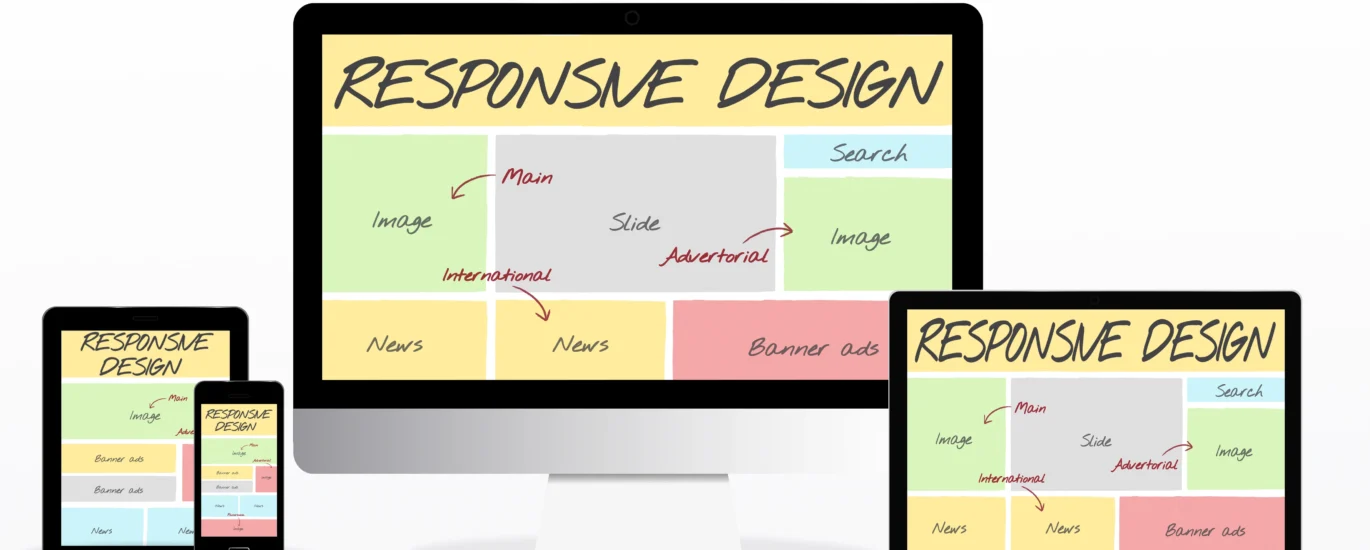
Your site should look great on all devices. Essentially, this is called responsive design. Fortunately, it adjusts layouts automatically.
Use CSS Grid or Flexbox for layouts. Notably, they adapt to any screen size. Furthermore, they’re easy to code and maintain.
Test on real phones, not just browsers. For example, what looks good in Chrome might break on Safari. Similarly, Android and iPhone can show different results.
Design for Thumbs, Not Mice
Most people use their thumbs on phones. Therefore, put buttons where thumbs can reach. Moreover, make buttons big enough to tap easily.
Keep tap targets at least 44 pixels tall. Also, add space between clickable items. Therefore, users won’t tap the wrong thing.
Bottom navigation works best on mobile. Specifically, users can reach it without stretching. Similarly, sticky menus keep actions always visible.
Keep Content Simple and Clear
Mobile screens are tiny. Therefore, don’t try to fit everything on them. Instead, cut out fluff and get to the point.
Put your main message at the top. Ideally, users shouldn’t need to scroll to find it. In addition, place your call-to-action button early.
Break text into short paragraphs. Specifically, use two or three sentences max. Furthermore, add plenty of white space.
Use simple words that everyone knows. Importantly, avoid jargon and long words. Therefore, your content becomes easier to scan.
Lists Make Content Scannable
Turn long text into bullet points. Clearly, lists are faster to read. Moreover, they help users find information quickly.
Use numbers for steps or rankings. Meanwhile, bullets work for regular lists. Similarly, subheadings help break up long sections.
Handle Pop-ups With Care
Pop-ups annoy mobile users badly. In fact, they cover the whole screen. Furthermore, close buttons are often too small.
Google penalizes sites with bad pop-ups. Consequently, your rankings drop if you use them incorrectly. Therefore, think twice before adding them.
Use top banners instead when possible. Notably, they don’t block content completely. Similarly, slide-ins work better than full overlays.
If you must use pop-ups, wait first. Specifically, let users read some content before showing them. Moreover, make the close button huge and obvious.
Simplify Your Forms
Long forms kill mobile conversions. Obviously, people hate typing on phones. Therefore, ask for less information upfront.
Use auto-fill whenever you can. Indeed, it saves users time and effort. Furthermore, pick the right keyboard for each field.
Show a number pad for phone numbers. Similarly, use email keyboards for email fields. In addition, add date pickers for dates.
Put labels above fields, not inside them. Also, show errors right next to problem fields. Therefore, users can fix mistakes easily.
Test on Real Devices
Browser tools help with testing. However, real phones show the truth. Therefore, test on actual devices regularly.
Borrow phones from friends if needed. Additionally, try older models that some people still use. Moreover, test both iPhone and Android devices.
Watch people use your site naturally. Then, note where they struggle or pause. Similarly, ask them what feels confusing.
Different phones can show different bugs. For instance, what works on one might break on another. Therefore, test as many devices as you can.
Track Your Mobile Performance
Google Analytics shows how mobile users behave. Specifically, check your mobile bounce rate. Moreover, compare it to your desktop rate.
Use Google Search Console for mobile issues. Then, fix problems as soon as they appear. Similarly, monitor your Core Web Vitals scores.
Tools like GTmetrix give detailed speed reports. In fact, they tell you exactly what to fix. For thorough testing, try WebPageTest.
Common Mistakes to Avoid
Many sites make these same errors. Fortunately, fixing them brings quick wins. Furthermore, most fixes are simple to implement.
Buttons Too Small to Tap
Tiny buttons cause user frustration. Therefore, make them at least 44×44 pixels. Moreover, add padding between different buttons.
Using Old Technology
Flash doesn’t work on phones. Instead, use HTML5 video. Similarly, avoid plugins that mobile browsers can’t handle.
Ignoring Landscape Mode
Some users turn their phones sideways. Therefore, your site should still work well. Consequently, test both portrait and landscape views.
Cramming Too Much Content
Less is more on mobile screens. Therefore, show only essential information first. Furthermore, hide extra details until users need them.
Your Mobile Optimization Checklist
Use this list to check your site. Specifically, work through each item one by one. Moreover, review this checklist every three months.
Speed Items:
- Compress all images
- Turn on browser caching
- Minify your CSS and JavaScript
- Use a CDN for faster delivery
- Enable GZIP compression
Design Items:
- Make the design responsive
- Test on many devices
- Use a 16px minimum font size
- Check color contrast levels
- Build thumb-friendly navigation
Content Items:
- Put CTAs at the top
- Keep forms short and simple
- Remove annoying pop-ups
- Write in short paragraphs
- Add lots of white space
Technical Items:
- Fix Search Console mobile errors
- Check mobile-first indexing status
- Add structured data markup
- Create a mobile sitemap
- Watch your Core Web Vitals
Start Improving Your Site Today

Pick one thing from this guide. Then, fix it this week. Furthermore, track the results you get.
Small changes add up over time. In fact, even minor speed improvements help. Therefore, start with the easiest fixes first.
Mobile website optimization never stops. Clearly, technology keeps changing fast. Moreover, user expectations keep rising higher.
Check your site on your phone right now. Ask yourself: Is it fast? Is it easy to use? If not, you know what to do next.
Your mobile users deserve a great experience. Ultimately, give it to them and watch your business grow.